

Top 10 Best Tax Filing Softwares in 2026: The Ultimate Guide for Small Businesses

Is there anything more universally dreaded than tax season? For entrepreneurs, April 15th often means late nights and scattered receipts, but it doesn’t have to. In 2026, the best tax filing software can turn weeks of stress into a few hours of work. Whether you are a solopreneur or a retailer, finding the right small business tax filing software is the key to effortless compliance. In this guide, we review the top 10 platforms, breaking down pricing and features to help you find the easiest tax filing software for your needs so you can get back to business.
👉 Must Read: 2026 Tax Filing Deadlines You Can’t Afford to Miss [Tax Filing Callander]
What Makes for the "Best" Tax Software?
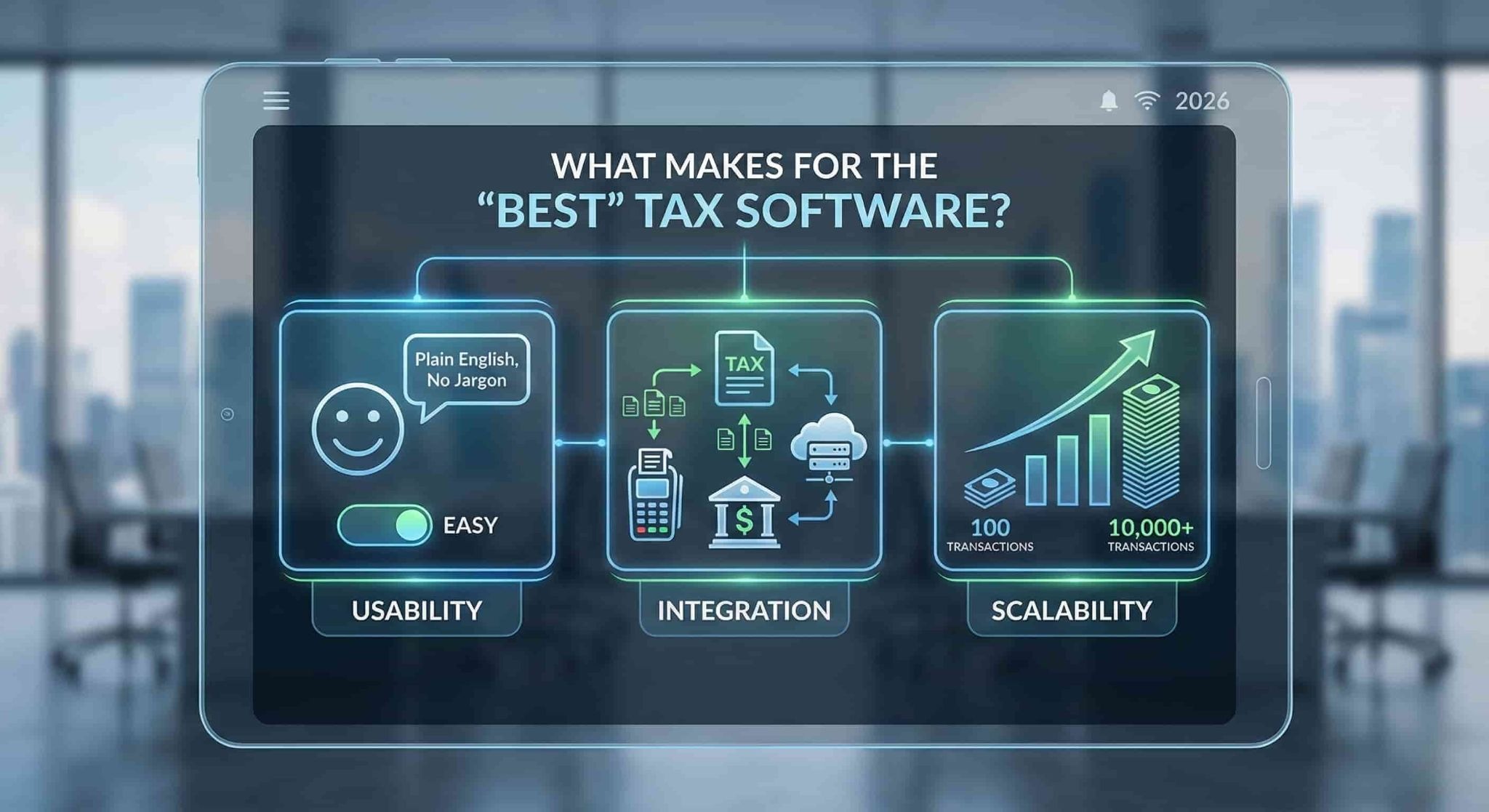
Before we dive into the list, it is important to know what you are looking for. The easiest tax filing software for a freelancer might be completely inadequate for an S-Corp with payroll. When evaluating these tools, keep three things in mind:
- Usability: Does it use plain English or confusing tax jargon?
- Integration: Does it connect with your POS and bank accounts?
- Scalability: Can it handle your growth from 100 to 10,000 transactions?
Let’s look at the top contenders for 2026.
1. Intuit TurboTax
Best For: The DIY Business Owner who wants a guided hand.
TurboTax remains the heavyweight champion in the tax world, and for good reason. For 2026, Intuit has doubled down on AI-assisted guidance. Their "Live" service is particularly valuable for small business owners who want to file themselves but need a CPA to review the final return.
- Key Features: SmartLook video support, automatic import of W-2s and 1099s, and industry-specific deduction discovery.
- Pros: Extremely intuitive interface; the "Live" option offers audit defense; high accuracy guarantees.
- Cons: It is often the most expensive option on the market; upselling during the checkout process can be annoying.
- Verdict: If you are willing to pay for a premium user experience and peace of mind, TurboTax is a safe bet.
2. QuickBooks
Best For: Seamless accounting-to-tax integration.
While primarily known as accounting software, QuickBooks (also by Intuit) is a powerhouse when paired with TurboTax or its own "Live Tax" assisted filing. If you are already using QuickBooks for your bookkeeping, the transition to tax filing is almost instant.
- Key Features: Automatic expense categorization, receipt capture, and seamless data transfer to tax forms.
- Pros: Keeps your books tax-ready year-round; excellent mobile app; integrates with almost every POS system (including OneHubPOS).
- Cons: The monthly subscription costs can add up; the actual filing usually requires an add-on or integration.
- Verdict: The gold standard for businesses that want their accounting and taxes to live in one ecosystem.

3. TaxSlayer
Best For: Cost-conscious self-employed individuals.
TaxSlayer started as a tool for tax preparers but has pivoted successfully to the consumer market. It is often cited as the easiest tax filing software for those on a budget. It lacks some of the flashy bells and whistles of TurboTax but gets the job done efficiently.
- Key Features: Simply Free edition (for simple returns), highly affordable Self-Employed tier.
- Pros: significantly cheaper than competitors; great interface for side-hustlers and freelancers.
- Cons: Guidance for complex business entities (like partnerships) is less robust than premium competitors.
- Verdict: A fantastic, no-frills choice for freelancers and sole proprietors watching their bottom line.
4. TaxAct
Best For: Partnerships and S-Corps looking for value.
TaxAct occupies the middle ground between the premium price of TurboTax and the budget-friendliness of TaxSlayer. It is particularly strong for businesses structured as Partnerships or S-Corps, offering a "Business" edition that is robust without breaking the bank.
- Key Features: "Xpert Assist" for professional help, Deduction Maximizer tool.
- Pros: Price-lock guarantee (you pay the price listed when you started, not when you file); solid interview-style questions.
- Cons: The user interface feels slightly dated compared to 2026 standards.
- Verdict: The smart choice for small business entities that need complex forms filed without the premium price tag.
5. H&R Block
Best For: Those who want a physical safety net.
In 2026, H&R Block continues to bridge the gap between digital and physical. Their software is powerful, but their unique selling point is the ability to walk into a brick-and-mortar office if things get too confusing.
- Key Features: "Tax Pro Review," drag-and-drop import from last year’s return (even from other software).
- Pros: Access to thousands of physical offices; generally cheaper than TurboTax for similar features.
- Cons: The online interface can be a bit slower than competitors.
- Verdict: Perfect for business owners who want to file online but sleep better knowing a local office is nearby.
6. Optima Tax Relief
Best For: Businesses with back-tax issues or IRS debt.
Note: Optima is not traditional DIY filing software like the others. It is included here because many business owners search for it when they are behind on taxes. If you have unfiled returns from previous years or owe a significant debt, standard software won’t save you—Optima will.
- Key Features: Tax investigation, resolution negotiation, and compliance catch-up.
- Pros: They handle the IRS communication for you; experts in reducing tax debt.
- Cons: Expensive service fees; not for standard annual filing if you are already compliant.
- Verdict: Use this if you are in trouble with the IRS. Use the others if you are just filing for 2026.
7. Drake Software
Best For: Businesses with an in-house accountant.
Drake is a professional-grade software typically used by CPAs, not the average business owner. However, if your small business has a dedicated finance manager or in-house bookkeeper, Drake offers incredible speed and power.
- Key Features: Lightning-fast data entry modes, comprehensive state filing coverage.
- Pros: Fixed pricing models; handles unlimited returns (great for serial entrepreneurs).
- Cons: Steep learning curve; interface looks like a spreadsheet (not user-friendly for beginners).
- Verdict: The industrial-strength tool for those who know exactly what they are doing.
8. FreeTaxUSA
Best For: The savvy filer who refuses to overpay.
Don't let the name fool you. FreeTaxUSA is a legitimate, powerful contender for best tax filing software. They offer free federal filing (even for some business forms) and charge a nominal fee for state filing.
- Key Features: Supports Schedule C, K-1, and rental income for free/low cost.
- Pros: Unbeatable price; surprisingly clean interface; supports complex filing situations.
- Cons: Upsells "Deluxe" support heavily; lacks the fancy import tools of competitors.
- Verdict: The hidden gem of the tax world. If you are comfortable with your numbers, this is the best value.
9. Xero
Best For: Cloud-based business management.
Like QuickBooks, Xero is primarily an accounting platform. However, its strength lies in its ecosystem. Xero integrates beautifully with tax compliance tools and allows you to generate financial reports that make filing a breeze.
- Key Features: Hubdoc (receipt capture), seamless bank reconciliation, advisor directory.
- Pros: Beautiful, modern interface; unlimited users on most plans; strong inventory tracking features.
- Cons: Requires integration with a tax filing tool (like TaxCycle or similar) to actually submit the return.
- Verdict: Ideal for modern, cloud-first businesses that want beautiful books to hand over to their accountant.
10. FreshBooks
Best For: Service-based businesses and freelancers.
FreshBooks is designed for people who send invoices—consultants, agencies, and contractors. Their tax features focus on tracking time and expenses so that Schedule C is easy to fill out.
- Key Features: Time tracking, automatic mileage tracking on mobile, proposal-to-invoice conversion.
- Pros: The easiest tax filing software prep tool for service providers; excellent customer support.
- Cons: Not ideal for retail or businesses with heavy inventory needs.
- Verdict: If you sell your time, FreshBooks is your best friend. If you sell products, look at QuickBooks or Xero.
How OneHubPOS Simplifies Your 2026 Taxes
You might be wondering: How does my Point of Sale system fit into this?
The biggest bottleneck in using small business tax filing software is data entry. You can buy the most expensive tax software in the world, but if you feed it inaccurate sales data, you are asking for an audit.
This is where OneHubPOS changes the game.
Tax software is only as good as the data it receives. OneHubPOS acts as your "Single Source of Truth" for all sales activities.
- Accurate COGS (Cost of Goods Sold): Our inventory management tracks the purchase price of every item you sell, giving you an accurate COGS number—a crucial deduction for lowering your taxable income.

- Seamless Integration: OneHubPOS exports your financial data directly into accounting platforms like QuickBooks and Xero. This means when tax season arrives, you aren't digging through receipt paper; you are simply clicking "Import."
Ready to make tax season boring?
Stop stressing over manual data entry. Let OneHubPOS handle your sales data, inventory, and tax reporting automatically, so you can focus on growing your business.
👉 Click Here to Book Your Free OneHubPOS Demo Today. Discover how we help small businesses stay compliant and profitable.
Frequently Asked Questions (FAQs)
Yes, platforms like FreeTaxUSA and the basic versions of TaxSlayer offer free federal filing for simple returns. However, if you have complex inventory, depreciation, or employees, it is often worth paying for premium software to ensure you don't miss deductions.
Accounting software (like Xero or QuickBooks) is for daily record-keeping—tracking sales, invoices, and expenses. Tax filing software (like TurboTax or TaxAct) is used once a year to submit those numbers to the IRS. Ideally, you should use both.
If you are a sole proprietor, you might get away with personal software that has a "Self-Employed" add-on. However, if you are an LLC, Partnership, or Corp, you absolutely need software designated for business to handle forms like the 1065 or 1120-S.
A POS like OneHubPOS records every penny of revenue and sales tax collected. By integrating your POS with your accounting software, you eliminate manual errors, ensuring the income you report to the IRS matches your actual bank deposits perfectly.
For most calendar-year partnerships and S-Corps, the deadline is March 16, 2026. For sole proprietors and C-Corps, the deadline is typically April 15, 2026. Always verify with a tax professional as dates can shift due to weekends or holidays.


Rajat is a growth marketing professional with a passion for creating content that drives engagement and measurable results. He specializes in turning insights into clear, actionable stories that help brands scale.